

01-03 - Mesh Mapper#
The following example illustrates how to calculate the image’s footprint and center point using a mesh as geometry reference.
The mapping class for meshes is called MappingTrimesh as Trimesh is used as the python library behind.
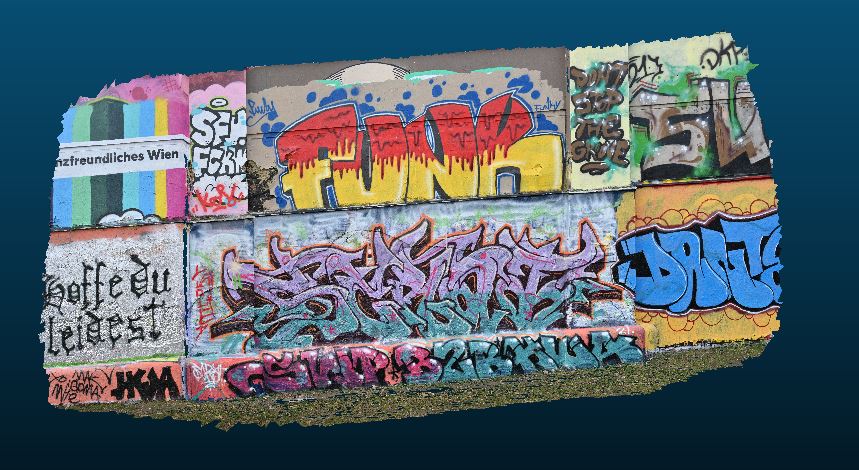
For the following images the footprint and center point should be mapped:

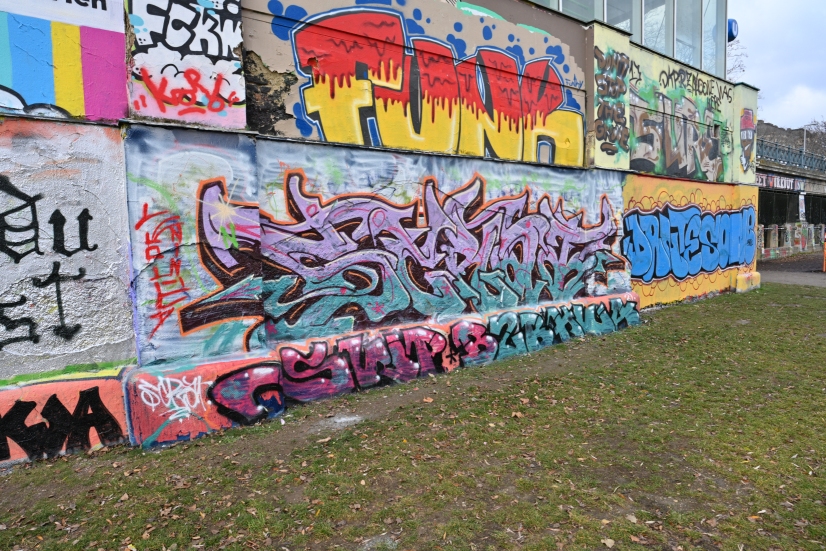
Following Steps need to be done:
Create camera class (IOR of image)
Create image class (Containing EOR and camera)
Create mapper class (3D data for mapping)
Map footprint and center-point (Function calls of image class)
Import Modules#
First we will import all necessary Modules. The Raster Mapper module will be used for mapping.
from pathlib import Path

import numpy as np

from weitsicht import (
    CameraOpenCVPerspective,
    ImagePerspective,
    MappingTrimesh,
    Rotation,
)

# path to the raster file
DATA_DIR = Path(__file__).parent.parent.resolve() / "tests" / "data"
Coordinate System#
In that example the images EOR and the mappers share the same coordinate system, thus we will not use crs specifications.
# In that example the images EOR and the mappers share the same coordinate system,
# thus we will not use crs specifications.
# So it can either be stated for the correct CRS or set to None (Then for both, images and mapper no crs has to be used)
# Within the classes a check is performed if the crs systems are equal (using pyproj equality check)
crs = None
Camera Model#
In that example the images EOR and the mappers share the same coordinate system, thus we will not use crs specifications.
# Initialize the camera model of the image.
# The camera model’s width and height is the image shape which was used for calibration,
# allowing the image class to use resampled images.
# The data from the example originates from a bundle block where the images eor and ior (camera calibration)
# are derived together from the bundle adjustment.
cam = CameraOpenCVPerspective(
    width=8256,
    height=5504,
    fx=4678.56,
    fy=4678.56,
    cx=4200.726,
    cy=2750.842,
    k1=-0.04308,
    k2=0.0137,
    p1=-0.000752,
    p2=0.00278,
)
Mapper Class#
mapper_mesh = MappingTrimesh(mesh_path=DATA_DIR / "decimated_160k_31256.ply", crs=crs)
Image Class#
# In that example we will directly assign the mapper to the image

# Position of image
position = np.array([2640.745, 342718.97, 5.0487])


# Rotation of image
orientation = Rotation.from_opk_degree(omega=102.283, phi=87.869, kappa=79.249)

# Initializing image class, use the same CRS as for the mapper (in this case we just use crs=None
# to avoid all CRS based operations or comparisons)
image = ImagePerspective(
    width=8256,
    height=5504,
    camera=cam,
    position=position,
    orientation=orientation,
    crs=crs,
    mapper=mapper_mesh,
)
Map images footprint and center point#
# There mapper was already assigned to the image at initialization
result_center_point = image.map_center_point()

if result_center_point.ok is True:
    # The returned coordinates will be in the CRS of the image
    print("Mapped Centerpoint (Principle point):", result_center_point.coordinates)
    print(f"GDS of center pixel {result_center_point.gsd:2.3f} m")
    print("Normal (center):", result_center_point.normals[result_center_point.mask])
    if result_center_point.gsd_per_point is not None:
        print("GSD per point:", result_center_point.gsd_per_point[result_center_point.mask])
assert result_center_point.ok is True  # for testing

result_footprint = image.map_footprint()

# The returned coordinates will be in the CRS of the image
if result_footprint.ok is True:
    # Map footprint returns the coordinates, the GSD of the , and the area of the footprint
    print("Mapped Footprint:", result_footprint.coordinates)
    print(f"Mean GSD {result_footprint.gsd:2.3f} m")
    print(f"Area of footprint {result_footprint.area:2.0f} m²")
    print("Normals:", result_footprint.normals)
    if result_footprint.gsd_per_point is not None:
        print("GSD per point:", result_footprint.gsd_per_point)
assert result_footprint.ok is True  # for testing
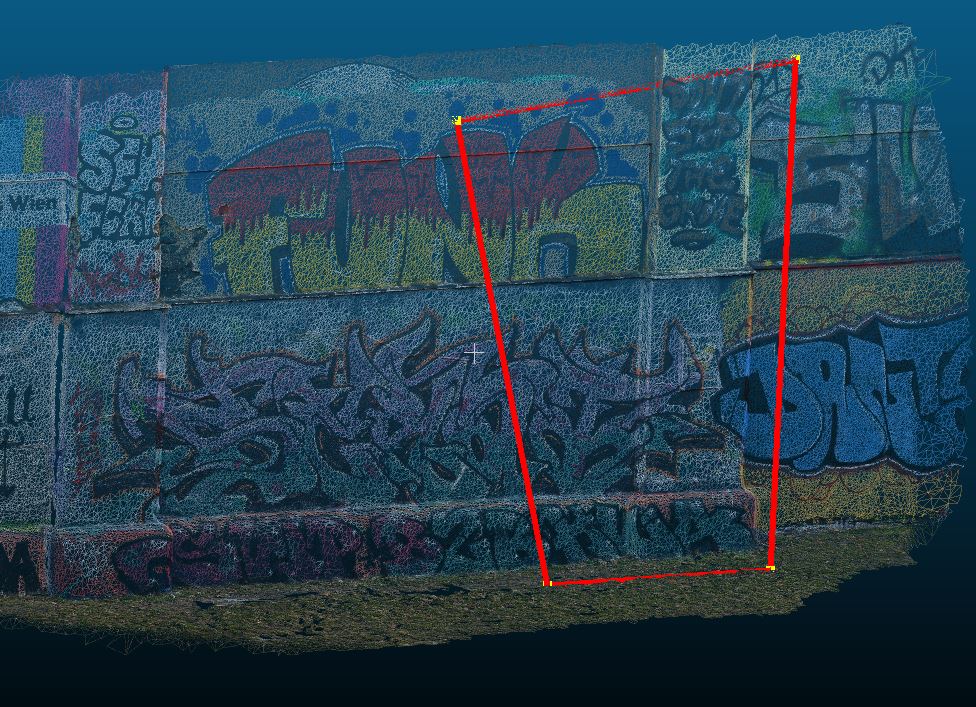
The mapped footprint and center point of that image (red dots are the mapped points of the footprint):
Densify mapped footprint#
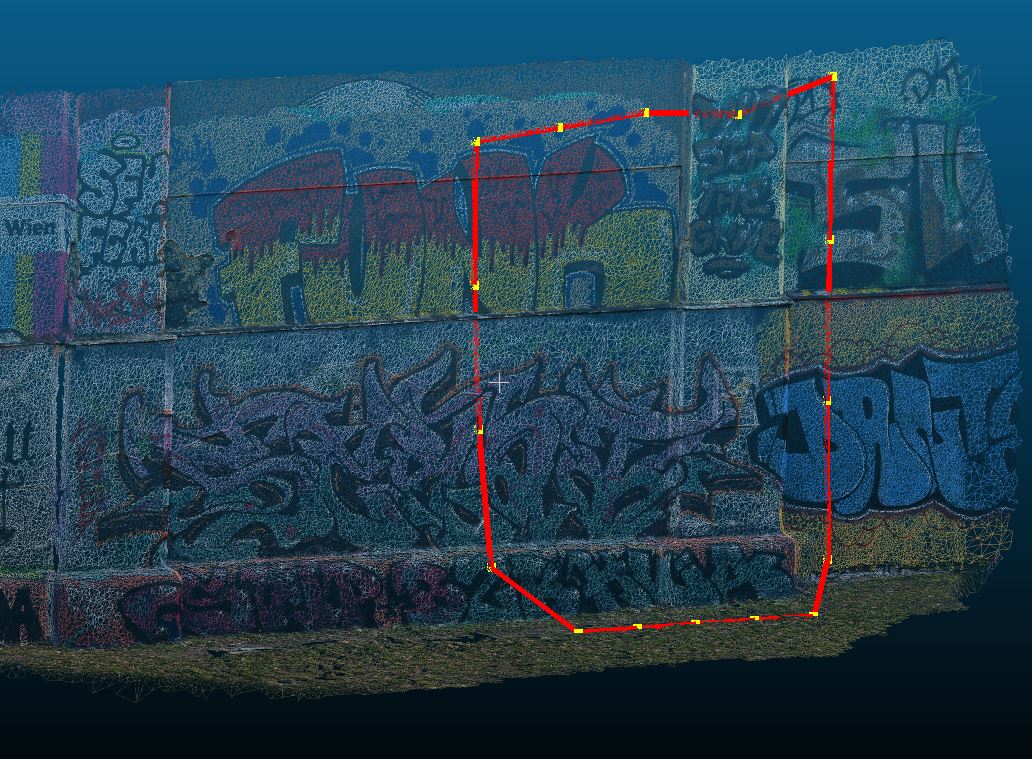
Standard is that only the four corner points of the image are mapped.
If you provide the argument points_per_edge you can specify how many points per side should be added.
This can be useful if the footprint outline should be more accurate on non-flat terrain or large camera distortions
result_footprint = image.map_footprint(points_per_edge=3)

# The returned coordinates will be in the CRS of the image
if result_footprint.ok is True:
    # Map footprint returns the coordinates, the GSD of the , and the area of the footprint
    print("Mapped Footprint:", result_footprint.coordinates)
    print(f"Mean GSD {result_footprint.gsd:2.3f} m")
    print(f"Area of footprint {result_footprint.area:2.0f} m²")
    print("Normals:", result_footprint.normals)
    if result_footprint.gsd_per_point is not None:
        print("GSD per point:", result_footprint.gsd_per_point)
assert result_footprint.ok is True  # for testing
Now there are 3 additional points on each edge (red dots):
Second Image#
We do the same for another image of the same photogrammetric block.
It is the same camera used which shares the same camera calibration, therefore we can reuse cam for image_2
That image has a larger footprint as the geometric extend of the mesh model, so this footprint mapping will fail.
# Position of second image
position_img_2 = np.array([2642.714, 342713.260, 4.953])
# Attitude of second image
orientation_img_2 = Rotation.from_opk_degree(omega=81.508, phi=57.961, kappa=5.612)

# Initializing image class of second image
image_2 = ImagePerspective(
    width=8256,
    height=5504,
    camera=cam,
    position=position_img_2,
    orientation=orientation_img_2,
    crs=None,
    mapper=mapper_mesh,
)


result_footprint = image_2.map_footprint()
assert result_footprint.ok is False  # for testing
print("These issues are found: ", result_footprint.issues)